
Weekly
$9a week
For one interview or a busy week.
- About 18 hours of live help a week
- Every feature
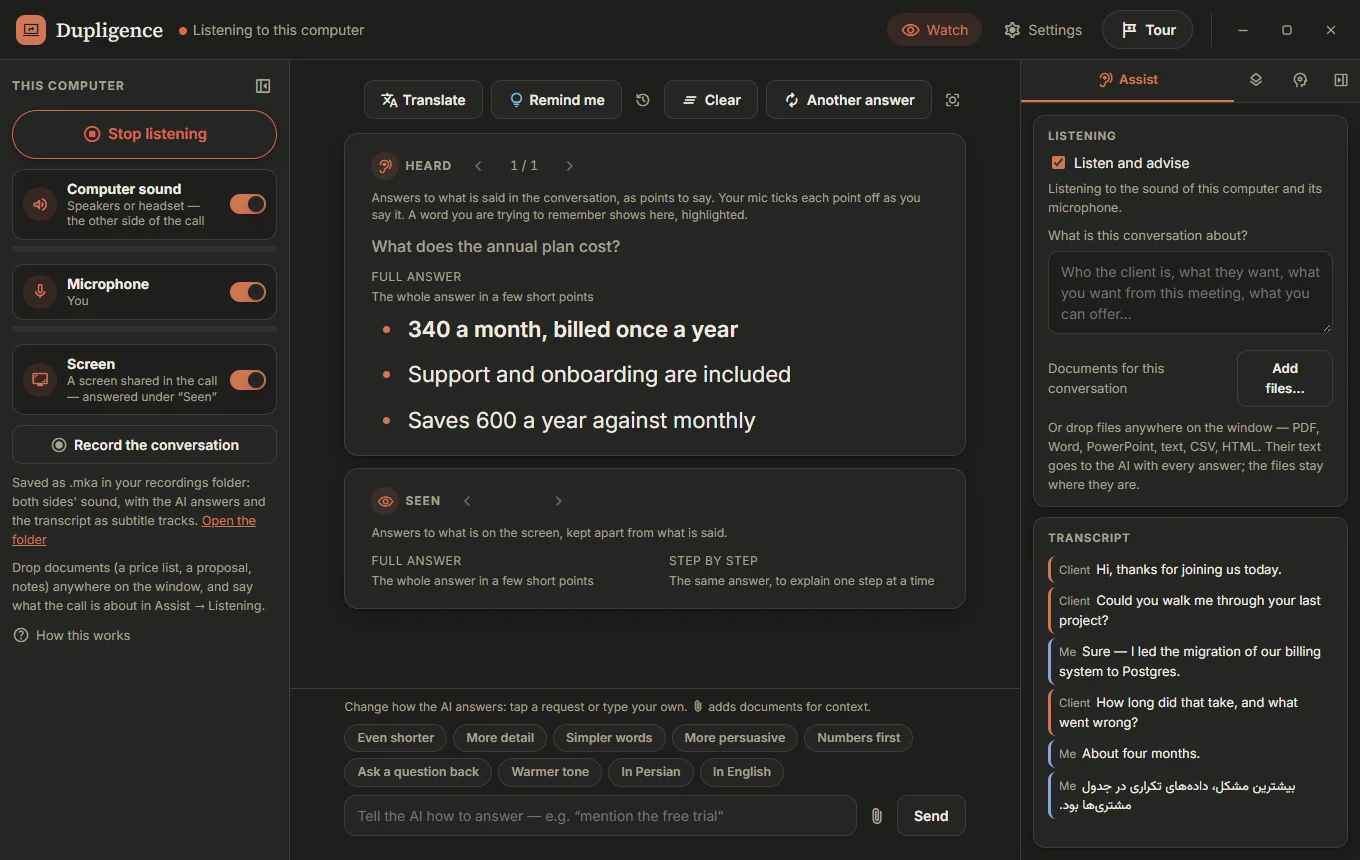
Dupligence listens to both sides of your call, writes down who said what, and puts the points to say on your screen while the question is still being asked. As you say each point, it ticks it off.
From $9 a week. Works with Zoom, Teams, Google Meet and any call app on Windows.
Nothing to set up during the call. Start it before you join, and it keeps up with you.
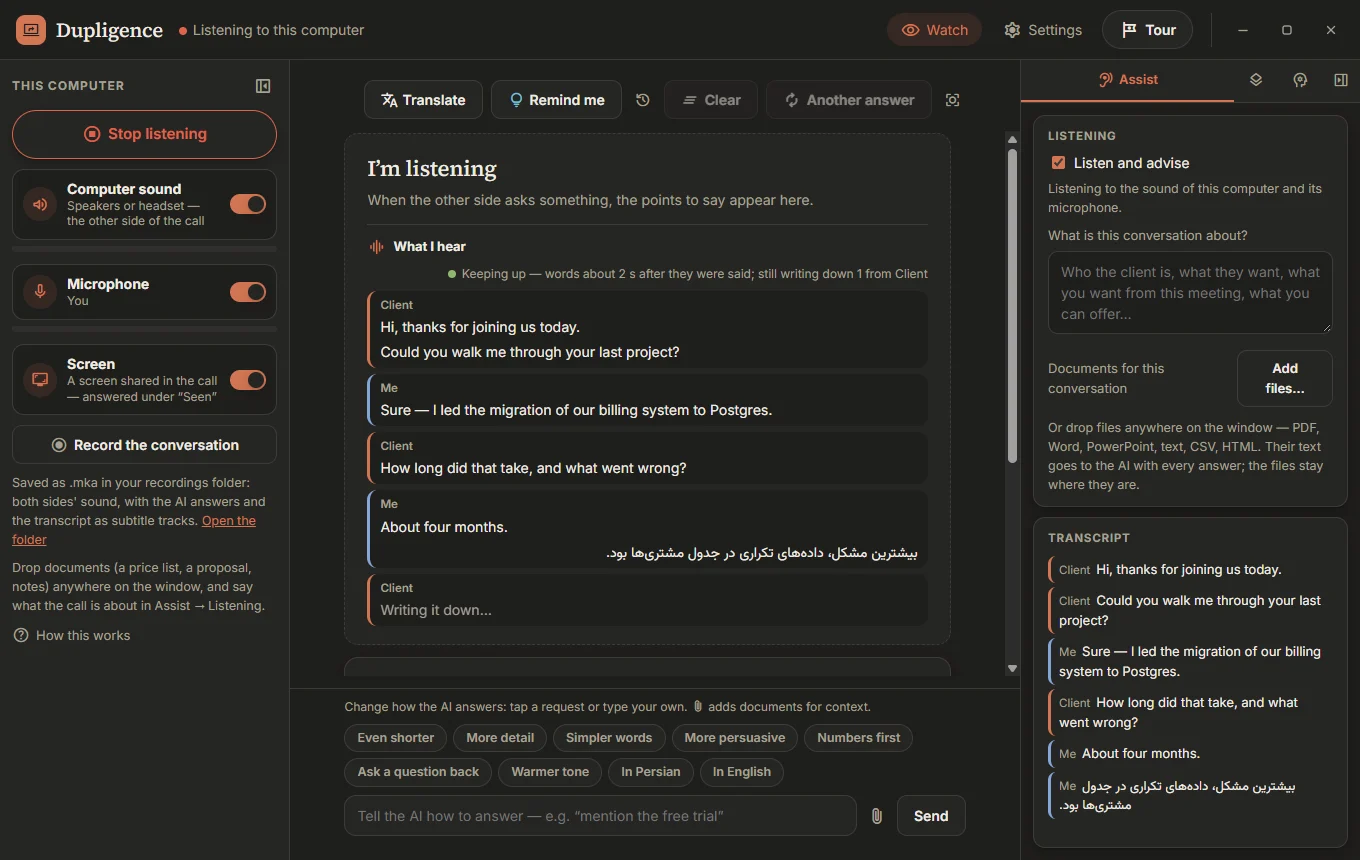
Whatever your computer plays (the other side of the call) and your microphone (you), kept apart and labelled, so it always knows who asked.
Speech becomes text on your own computer, in English, Persian, French, German, Spanish or Arabic. You see every line as it comes, and whether it is keeping up.
When a question comes, a few short points appear. Say them in your own words; Dupligence ticks each one off as it hears you say it.
Built for the moments where the right answer matters: a job interview, a sales call, a client meeting, a support session.
Points to say for the question being discussed, in the language of the conversation. Ask for another answer, shorter, warmer or with numbers first.
A shared slide, a form, a price list or a coding task: it reads the screen and explains it, kept apart from what is being said.
Every line, by who said it, as it is written down, with a clear sign when the transcript is keeping up and when it is falling behind.
Lost a word mid-sentence? Say so, or press Remind me, and the name you are reaching for shows up highlighted.
Read the answers in your own language. Translation runs on this computer; nothing extra is sent anywhere.
Both sides’ sound in one file, with the transcript and the answers as subtitle tracks, saved to a folder you choose.
Watch another computer’s screen and sound over Nixosoft MeshNet, and point things out on it while they talk.
Steer it from a game controller: scroll, ask again, move to the next answer. Nobody on the call hears a click.
Speech is turned into text on your computer, and recordings and transcripts stay there. Only the text needed for an answer goes to Nixosoft AI.
“What I hear” shows each line as it is written, under the name of whoever said it, so you can trust the answer is about the question just asked.
Dupligence Pro, with Nixosoft AI giving the answers. Pick the length that fits: a week for one interview, or a year if calls are your work. Cancel any time.
For one interview or a busy week.
For regular calls and meetings.
Save 9% against monthly.
Save 17% against monthly.
Prices in US dollars. Hours are a guide for typical use; the app shows how much of this period’s Nixosoft AI you have used and when it renews. Attaching large documents to every answer uses it faster.
Subscribing asks you to sign in to your Nixosoft account first. No account yet? Create one, free.
Set it up once, before your first call.
Free, with your email. You will get a message to confirm it.
Create an accountIn Dupligence, open Settings → Account, sign in, and choose a plan. Or subscribe here on the web.
Any of them. Dupligence hears whatever Windows plays on its sound output, plus your microphone, so Zoom, Microsoft Teams, Google Meet, a phone app or a browser call all work the same way. A headset keeps the two sides cleanest.
English, Persian, French, German, Spanish and Arabic, or let it detect the language. Answers come in the language of the conversation, and you can read them translated into yours.
Speech is turned into text on your computer, and recordings and transcripts are saved there. To give an answer, the text of the conversation (and, if you allow it, what is on the screen) is sent to Nixosoft AI.
Answers pause until your allowance renews, and the app tells you when that is. Listening and writing down the conversation keep working.
Yes, at any time, from Settings → Account in the app or from your Nixosoft account. Your plan runs to the end of the period you paid for.
Not yet: Dupligence is for Windows 10 and 11 today.